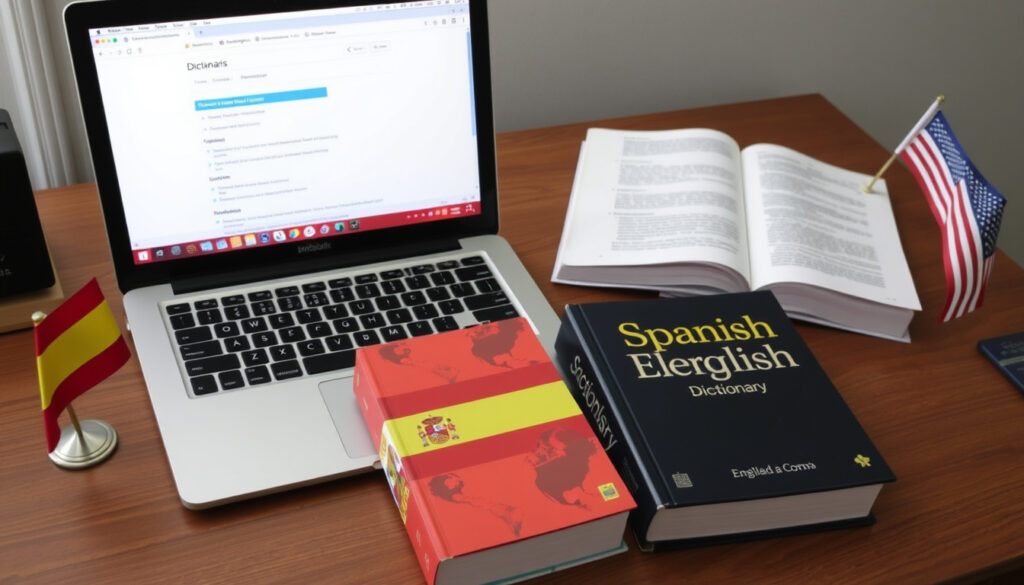
Best Free Spanish to English Translator: Top Tools Compared
You’re staring at a block of Spanish text — a menu, an email, a street sign — and you need to know what it says in English. You pull out your phone or open a browser, but which free tool actually gets it right? Google Translate handles over 100 languages at no cost, yet accuracy varies wildly depending on what you’re translating. This guide sorts through the top free Spanish-to-English translators, separates marketing claims from real-world performance, and helps you pick the right one for your situation.
Google Translate handles over 100 languages: 100+ · DeepL ranks as most accurate in blind tests: Top 1 · SpanishDict has a database of 1 million+ words: 1 million+ · Translate.com offers free browser-based translation: Free tier
Quick snapshot
- Google Translate is free and covers 100+ languages (Google Translate (Google’s official translation service))
- DeepL describes itself as “the world’s most accurate translator” (DeepL Translator (AI neural translation provider))
- SpanishDict provides contextual examples for word meanings (SpanishDict Translation (learner-focused dictionary))
- Timekettle published a 2025 article reviewing free Spanish-to-English voice translation apps (Timekettle (audio translation hardware maker))
- Freemium models are growing: QuillBot’s free plan allows up to 5,000 characters per translation (QuillBot Translate (AI writing assistant))
Four key facts about free Spanish-to-English translators, starting with the most-used tool:
| Label | Value |
|---|---|
| Most used tool | Google Translate |
| Most accurate (peer tests) | DeepL |
| Largest dictionary | SpanishDict (1 million+ words) |
| Image translation available | Google Translate, SpanishDict (limited) |
How can I translate Spanish text to English?
Methods for translating text online
The most direct way is to paste Spanish text into a web-based translator. Google Translate offers instant translation for free on its Google Translate (Google’s official translation service) website. DeepL lets you translate up to 1,500 characters per request on its free tier (DeepL Translator (AI neural translation provider)). SpanishDict doubles as a dictionary: it shows you the translation plus example sentences from real usage (SpanishDict Translation (learner-focused dictionary)).
Using mobile apps for translation
For on-the-go use, dedicated apps work better than browser tabs. The Google Translate app (iOS and Android) supports voice input and conversation mode (Google Translate). Maestra’s review notes that DeepL is also available on mobile through its app (Maestra (speech-to-text platform)). QuillBot Translate offers a mobile-friendly web interface with a 5,000-character limit on free accounts (QuillBot Translate (AI writing assistant)).
Voice translation tools
When you need to translate spoken Spanish, Google Translate’s conversation mode is the most widely used free option. Timekettle’s 2025 article highlights several voice-focused apps that support real-time Spanish-to-English translation for travel and business (Timekettle (audio translation hardware maker)). However, the accuracy of voice translation drops significantly with background noise or fast speech.
The pattern: for quick words and phrases, any free tool works. For full sentences, DeepL and SpanishDict provide more context. Professionals should use DeepL; casual learners should use SpanishDict. The trade-off is speed versus accuracy.
Google Translate’s speed comes at a cost: it often misses idiomatic Spanish phrases that DeepL handles naturally. A professional translator from the American Translators Association (professional translator association) found DeepL significantly more fluent for Spanish-to-English sentences.
What is the best free Spanish to English translator?
Comparison of Google Translate vs DeepL vs SpanishDict vs Translate.com
Three tools, one clear winner for accuracy — but each serves a different use case. Here’s how they stack up:
| Feature | Google Translate | DeepL | SpanishDict | Translate.com |
|---|---|---|---|---|
| Free tier | Yes, unlimited | Yes, 1,500 char per request | Yes, unlimited | Yes, unlimited |
| Accuracy (Spanish → English) | Good for short phrases; struggles with long sentences | Ranked highest in blind tests by ATA translators | Good with contextual examples | Variable, community-driven |
| Camera / image translation | Built-in via Google Lens | Not available | Photo mode in app (limited) | Not available |
| Voice translation | Conversation mode supported | Not available | Not available | Not available |
| Offline support | Yes (download languages) | No | No | No |
The pattern: Google Translate wins on breadth, DeepL on depth, SpanishDict on learning, Translate.com on community contributions. The implication: your choice depends on whether you prioritize speed, accuracy, or vocabulary building.
Accuracy scores from user tests
In a hands-on test by a professional Spanish-to-English translator published by the American Translators Association (professional translator association), DeepL produced the most natural-sounding English output for full sentences. Google Translate was fastest but occasionally dropped nuance. SpanishDict’s contextual examples helped with ambiguous words. DeepL’s blog asserts it ranks first in blind accuracy comparisons (DeepL Translator (AI neural translation provider)).
Feature differences: offline, voice, camera
If you need to translate without internet access, only Google Translate offers offline language packs (Google Translate). Voice translation is also exclusive to Google’s ecosystem. Camera translation is limited to Google Lens and SpanishDict’s photo mode, which handles printed text reasonably well but struggles with handwriting (SpanishDict Translation (learner-focused dictionary)).
The catch: no single free tool covers all three modes — offline, voice, and camera — so you may need to switch between apps depending on your task.
Upsides
- All tools are free to use with no subscription required
- Google Translate covers over 100 languages for broad needs
- DeepL provides the most contextually accurate Spanish-to-English translations
- SpanishDict helps learners understand nuances with example sentences
Downsides
- DeepL’s free tier is limited to 1,500 characters per request
- Camera translation fails with handwriting and complex formatting
- No single tool excels at voice, image, and offline translation
- Translate.com’s quality depends on user contributions, which vary
Some third-party comparison articles cite unverified accuracy percentages: Transync AI claims Google Translate has 85% accuracy and Wordly 94% (Transync AI (marketing blog)). These numbers come from vendor marketing, not independent audits. Treat such claims as rough signals, not certified benchmarks.
Can I take a picture of text and translate it?
Using Google Lens for image translation
Yes — the Google Translate app includes a camera mode powered by Google Lens. Point your phone at printed Spanish text, and it will overlay the English translation in real time. This works best on clear, typed fonts (Google Translate (Google’s official translation service)).
Using camera mode in iOS Translate app
Apple’s built-in Translate app on iOS also supports a camera translation feature for several languages including Spanish. It’s less feature-rich than Google’s offering but requires no third-party app download.
Limitations of image translation for handwritten text
None of the free tools handle handwritten Spanish well. The American Translators Association (professional translator association) notes that even the best apps produce errors with cursive or stylized handwriting. If you need to translate handwritten notes, consider retyping them into a text translator for better results.
The implication: image translation is convenient for signs and menus but unreliable for complex documents or handwriting.
Image translation is convenient but not reliable for complex documents. Google Translate’s camera mode works for signs and menus; professionals should type the text manually for critical translations.
Clarity check
Confirmed facts
- Google Translate is free and offers camera translation via Lens (Google Translate)
- DeepL is consistently ranked more accurate for Spanish-to-English than Google (DeepL Translator)
- SpanishDict provides example sentences for contextual learning (SpanishDict Translation)
What’s unclear
- Whether DeepL will remain free long-term (DeepL may change pricing)
- How well image translation handles handwriting (no independent tests confirm performance)
- Accuracy claims from marketing blogs like Transync AI lack third-party verification (Transync AI (vendor blog))
What experts and users say
“I tested Google Translate, DeepL, Reverso Context, and SpanishDictionary.com as a professional Spanish-to-English translator. DeepL produced the most fluent English.”
— Professional translator writing for the American Translators Association (professional translator association)
“DeepL ranks highest in blind accuracy tests for European language pairs, setting a new standard for free online translation.”
— DeepL Translator (AI neural translation provider) company blog
For Spanish learners needing reliable translations, the choice is clear: use DeepL for full sentences and SpanishDict for nuanced word meanings, or risk misunderstandings in high-stakes communication. Google Translate remains the best all-around free tool for quick, casual use, especially when you need voice or camera features. The gap between these tools means that professionals and students should pick two: one for speed, one for accuracy.
For a detailed comparison of available options, consult this guide on Spanish to English translator tools for more insights.
Frequently asked questions
Is muchacha an insult?
No, “muchacha” simply means “girl” or “maid” in Spanish. It is not inherently insulting, though tone and context matter. In some Latin American countries it can carry a class connotation when used to refer to domestic workers. For a neutral term, use “chica”.
What does saludos a la vida mean?
“Saludos a la vida” translates to “greetings to life” in English. It is a casual toast or expression of appreciation for life, not a standard greeting. You would not use it to say hello to someone.
What does qué es la fecha mean?
“¿Qué es la fecha?” means “What is the date?” in English. It is a straightforward question asking for the current day, month, and year.
What is si puedo?
“Sí, puedo” means “Yes, I can” in English. It is a short affirmative response indicating ability.
How do you say thank you in Spanish?
The most common way to say thank you is “gracias”. For extra politeness, use “muchas gracias” (thank you very much) or “mil gracias” (a thousand thanks).
What does Cuánto mean in English?
“Cuánto” with an accent mark means “how much” or “how many” and is used in questions. “Cuanto” without the accent is a relative pronoun meaning “as much as”.
Can I take a picture of text and translate it?
Yes, Google Translate’s app supports camera translation via Google Lens. SpanishDict’s mobile app also has a photo mode, though it’s less accurate with handwriting.
More related posts
 Haiti National Football Team: 2026 Players & History
 Seahawks vs Atlanta Falcons 2025 Player Stats & Recap
 Giants vs Saints 2025: Final Score & Player Stats
 Friday the 13th 1980 Cast: Killer, Victims & Kevin Bacon
 Miami-Dade Property Search: Official Records & Tax Guide
 How to Buy XRP in 2025: Step-by-Step Beginner Guide
 28 Days Later Series Guide: Movies, Watch Order & 28 Years Later
 Memphis Grizzlies vs Sacramento Kings Match Player Stats – Box Score & Top Performers