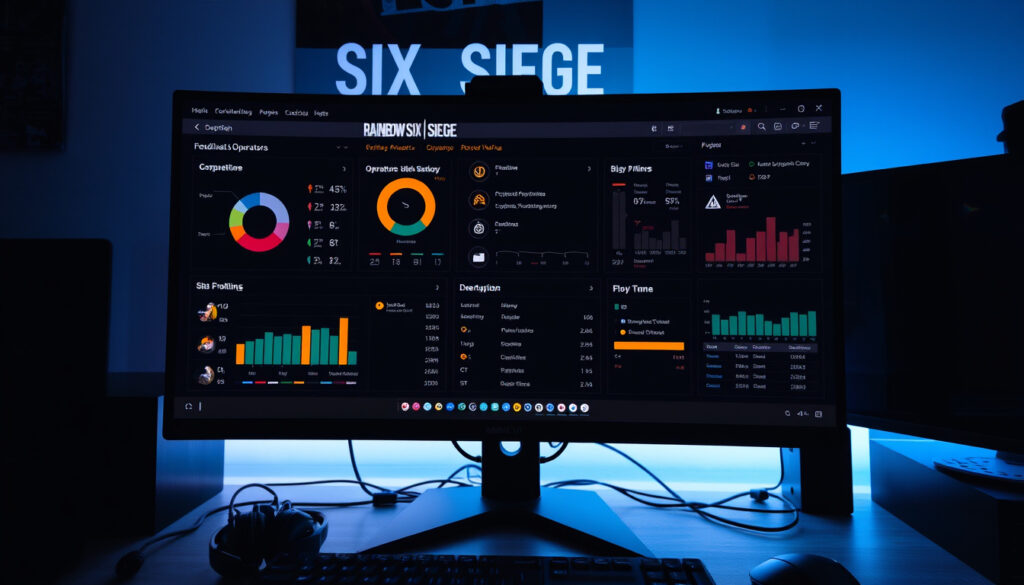
Rainbow Six Siege Tracker: Best Stats Tools Compared
If you’ve ever queued for a ranked match and wondered how your stats stack up against the top players, you’re not alone. Whether you’re grinding through Copper or gunning for Champion, a good Rainbow Six Siege tracker can show you where you stand—and where you need to improve.
Monthly Active Players (R6): 70 million+ (Ubisoft, 2023) ·
Official Stats Platform: Ubisoft Career (R6 Stats Tracker) ·
Top Third‑Party Tracker: Tracker Network (r6.tracker.network) ·
Ranked Tiers Total: 9 (including Champion) ·
Most Used Operator in 2024: Ash (Pick Rate ~25%)
Quick snapshot
- Ubisoft Career is the only official Rainbow Six Siege stats tracker (Ubisoft Career (official publisher platform)).
- Tracker Network uses the official Ubisoft API to pull game data (Rainbow Six Siege Tracker (third‑party aggregator)).
- There are 9 ranked tiers: Copper, Bronze, Silver, Gold, Platinum, Emerald, Diamond, and Champion (Ubisoft Career official rank system). (Ubisoft Career (official publisher platform))
- Whether any third‑party tracker has access to real‑time match data faster than the game client updates (Reddit r/Rainbow6 (community discussion)).
- The exact total player base breakdown by region (Ubisoft Career does not publish regional breakdowns). (Reddit r/Rainbow6 (community discussion))
- Whether Ubisoft’s stats APIs remain fully functional for all third-party tools (Reddit r/Rainbow6 community report). (Reddit r/Rainbow6 (community discussion))
- Whether the Tracker Network phone app displays the same detailed weapon and operator stats as the desktop version (Reddit r/Rainbow6 user comparison). (Reddit r/Rainbow6 (community discussion))
- Current season is Year 9 Season 3 (as of Oct 2024) (Ubisoft Career season timeline).
- Ranked resets happen at the start of every new season – expect a soft MMR wipe (Ubisoft Career ranked season rules).
This guide compares the official Ubisoft Career tool with the most popular third‑party trackers, so you can pick the one that fits your playstyle. Below is a side‑by‑side comparison of the three leading options.
| Feature | Ubisoft Career | Tracker Network | R6Stats |
|---|---|---|---|
| Official source | Yes | No (uses Ubisoft API) | No (fan‑made) |
| K/D and W/L stats | Yes | Yes | Yes |
| Leaderboards | No | Global and regional | No |
| Operator and weapon stats | Basic (top operators) | Detailed per season | Basic |
| Live match tracking | No | PC only (Overwolf app) | No |
| Mobile app | Ubisoft Connect | Android / iOS | Android / iOS |
| MMR display | No | Yes | No |
| Attribute | Value |
|---|---|
| Game Publisher | Ubisoft Montreal |
| Release Year | 2015 |
| Current Season | Year 9 Season 3 (as of Oct 2024) |
| Peak Concurrent Players (Steam) | 201,036 (Feb 2023) |
| Number of Operators | 70+ (including reworks) |
| Ranked Tiers | 9 (Copper to Champion) |
What is the Best Rainbow Six Siege Stats Tracker?
Three tools dominate the stat‑tracking space: the official Ubisoft Career page, Tracker Network, and the fan‑built R6Stats app. Each serves a different audience, and the choice often comes down to whether you want simplicity or depth.
Official Ubisoft Career Tracker vs. Third‑Party Tools
Ubisoft’s Career page is the only official source, requiring you to log in with your Ubisoft account. It shows basic stats like K/D, win/loss, and top operators directly from the game’s backend (Ubisoft Career official publisher platform). Third‑party tools like Tracker Network pull from the same official API, but they add leaderboards, operator‑specific breakdowns, and live match tracking (Rainbow Six Siege Tracker third‑party aggregator).
Top Features of Tracker Network for R6 Siege
- Global and regional leaderboards – ranks players by MMR, K/D, and more (Rainbow Six Siege Tracker leaderboard system).
- Operator, map, and weapon stats – detailed breakdowns per season (Rainbow 6 Siege Tracker – Desktop App on Overwolf (in‑game overlay)).
- Live match tracking (PC only) – shows current and max ranks of teammates and opponents, plus a win‑chance algorithm (Rainbow 6 Siege Tracker – Desktop App on Overwolf live features).
Tracker Network’s mobile app displays season‑by‑season MMR history and allows you to compare stats with friends or streamers (Tracker Network Stats – App Store (profile summary)).
Other Popular R6 Stat Tracker Apps
R6Stats is a fan‑made mobile app (iOS/Android) that offers quick stat lookups by username and lets you compare casual, ranked, and overall stats with friends (R6Stats – App Store (fan‑made project)). R6 Analyst provides a live overview of everyone in the lobby, though it’s less known (R6 Analyst (live lobby tracker)).
The implication: your choice depends on whether you want verified simplicity or third‑party depth. Casual players gain little from Tracker Network’s extra data, while competitive players will find Ubisoft’s tool too shallow.
Ubisoft’s official tool gives you verified stats with zero privacy risk, but it lacks the granularity that serious rank climbers need. Tracker Network fills that gap—but only on PC, and it requires trusting a third party with your Ubisoft username.
How Do I Check My Rainbow Six Siege Rank?
Your rank is visible in the game’s main menu under the “Ranked” playlist tab. But if you want to see your rank history, MMR changes, or compare with past seasons, you need a tracker.
Step-by-Step: Checking Rank on Ubisoft Connect
- Go to Ubisoft Career official stats page and log in with your Ubisoft account.
- Select “Rainbow Six Siege” from the list of games.
- Your current rank, K/D, win/loss, and top operators appear on the main dashboard.
- Click “Ranked” to see your rank history for each season.
Using a Tracker Network to See Your Rank History
Visit Rainbow Six Siege Tracker third‑party aggregator and enter your Ubisoft username. The site displays your current rank, highest rank of the season, and a graph of MMR changes over time (Rainbow Six Siege Tracker rank history). The mobile app also shows these stats per season (Tracker Network Stats – App Store season summaries).
Understanding Your Rank Icon and MMR
Each rank has a distinct icon. MMR (Matchmaking Rating) determines your rank placement—the game uses a hidden MMR number that changes with each win or loss. Tracker Network can show you the exact MMR figure, while the in‑game screen only shows the tier icon (Ubisoft Career ranked system explanation).
The pattern: Ubisoft hides the number that matters most for tracking improvement. If you want to see whether you’re actually climbing, a third‑party tool is your only window into MMR.
If you’re grinding for a specific rank, seeing your MMR trend helps you gauge whether you’re plateauing or improving. The official tracker hides MMR; third‑party tools reveal it.
What are All the Ranks in Rainbow Six Siege in Order?
The ranked system has 9 tiers: Copper, Bronze, Silver, Gold, Platinum, Emerald, Diamond, and Champion. Each tier (except Champion) has three sub‑ranks (e.g., Gold I, II, III). Champion is reserved for the top 2500 players on each platform per region (Ubisoft Career ranked system).
From Copper to Champion: The Full R6 Rank List
The table below maps the full tier progression. Note that Copper has five sub‑ranks while Gold through Diamond have three, reflecting where the player population concentrates.
| Tier | Sub‑ranks | Notes |
|---|---|---|
| Copper | Copper V, IV, III, II, I | Starting tier for new players |
| Bronze | Bronze V – I | Low skill bracket |
| Silver | Silver V – I | Average player base |
| Gold | Gold III – I | Above average |
| Platinum | Platinum III – I | High skill |
| Emerald | Emerald III – I | Introduced in Year 8 |
| Diamond | Diamond III – I | Elite players |
| Champion | 1 rank | Top 2500 per platform/region |
The catch: Ubisoft lists 9 total tiers, but the table shows 8 named tiers with Champion as a single rank. The discrepancy arises because Copper has five sub‑ranks instead of three, effectively creating more gradations within the same 8-tier naming system.
How MMR Determines Your Rank Placement
Your MMR is a hidden number that increases with wins and decreases with losses. The game assigns a rank based on your MMR bracket. For example, MMR 2500–3000 typically places you in Gold. Tracker Network can show your exact MMR, while the in‑game display only shows the tier icon (Rainbow Six Siege Tracker MMR tracking).
Rank Resets and Seasons in Rainbow Six Siege
At the start of each new season (roughly every three months), Ubisoft performs a soft MMR reset. Your hidden MMR is partially recalibrated, and you must play 10 placement matches to get your rank for the new season. Your previous season’s rank is still visible in your history (Ubisoft Career season reset rules).
How Does the Rainbow Six Siege Tracker Network Work?
Tracker Network is an independent service that uses the official Ubisoft API to fetch your game data. It does not require you to install any software for the web version, but the desktop app (via Overwolf) offers live tracking (Rainbow Six Siege Tracker API usage).
Connecting Your Ubisoft Account to a Tracker
On the web, simply enter your Ubisoft username. The site pulls your public stats via the API. No login credentials are needed. For the desktop app, you install the Overwolf overlay and it automatically reads your match data during gameplay (Rainbow 6 Siege Tracker – Desktop App on Overwolf setup instructions).
Data Privacy and What Trackers Can See
Trackers only read publicly available data: K/D ratio, win/loss, top operators, and match history. They cannot see your password, email, or payment information. However, by entering your username, you are sharing that username with a third party. Ubisoft explicitly states that third‑party tools are not affiliated (Ubisoft Career disclaimer about third‑party services).
Leaderboards and Stat Categories Available
- Global leaderboards by MMR, K/D, and rank points (Rainbow Six Siege Tracker leaderboards).
- Operator stats: kills, deaths, win rate per operator (Rainbow 6 Siege Tracker – Desktop App operator stats).
- Weapon stats: accuracy, headshot percentage, kills per weapon (Rainbow 6 Siege Tracker – Desktop App weapon stats).
- Match history with win/loss, K/D, and map details (Rainbow Six Siege Tracker match history).
What this means: Tracker Network converts Ubisoft’s raw API data into actionable comparisons. The web version is enough for post-match review; the desktop app is for players who want live intel mid-round.
The desktop app’s live tracking is PC‑only. Console players are limited to the web version, which refreshes less frequently. Also, the win‑chance algorithm is proprietary and not always accurate.
Is There a Rainbow Six Siege Tracker App for Download?
Yes, there are several apps available for both mobile and desktop. The most popular are the Tracker Network app and Ubisoft’s own Connect app.
Tracker Network for R6: Siege App (Android/iOS)
Available on Google Play (Tracker Network for R6: Siege) and the App Store (Tracker Network Stats). It shows season summaries, MMR, leaderboards, and allows stat comparison with friends.
Official Ubisoft Connect Mobile App
Ubisoft Connect is the official companion app. It provides basic stats and news, but it does not offer the deep analytics found in Tracker Network (Ubisoft Career app availability).
Other Community‑Built R6 Stat Apps
R6Stats (R6Stats – App Store fan‑made project) is a lightweight alternative that focuses on quick lookups and friend comparisons. R6 Analyst (R6 Analyst live lobby stats) offers a live overview of players in your lobby.
The pattern: mobile apps trade depth for convenience. Tracker Network’s app is the most complete, but if you only need a quick K/D check, R6Stats loads faster and requires no account.
If you want a mobile‑friendly way to check stats on the go, the Tracker Network app is the most feature‑rich. For console players, R6Stats is a solid free alternative. The official Ubisoft Connect app is fine for basic info but lacks the depth that competitive players demand.
Clarity Check
- Ubisoft Career is the only official stats source (Ubisoft Career).
- Tracker Network pulls from the official Ubisoft API (Rainbow Six Siege Tracker).
- Tracker Network’s desktop app is PC‑only (Rainbow 6 Siege Tracker – Overwolf).
- Whether any third‑party tracker has real‑time data faster than the game client (Reddit r/Rainbow6).
- The exact regional player base breakdown (Ubisoft Career).
- Whether the tier count is 8 or 9 given the Copper sub‑rank structure (Ubisoft Career system page).
“Ubisoft Career is the official home for your Rainbow Six Siege stats, accessible from any browser.”
Ubisoft Support Page (official publisher)
“Our leaderboards rank every player who has used the site, based on MMR, K/D, and other stats.”
For players who want a single source of truth, the official Ubisoft Career page is the safest bet. But if you’re serious about improving your rank, the depth offered by Tracker Network—especially its live desktop overlay—is hard to beat. The trade‑off is that you’ll be sharing your username with a third party, and the live features only work on PC.
For the casual player who just wants to check their K/D or compare with a friend, the R6Stats mobile app is free and fast. And for console players, the web version of Tracker Network works fine, though it lacks the real‑time edge of the desktop app. The bottom line for any player: choose the tool that matches how deeply you want to analyze your performance, because no single tracker covers every use case perfectly.
For a detailed comparison of the best Rainbow Six Siege tracker tools, this guide breaks down each platform’s features and accuracy.
Frequently Asked Questions
Can I use a Rainbow Six Siege tracker without an account?
Yes. Most third‑party trackers only require your Ubisoft username, which is public. You do not need to create an account on the tracker site.
Does the official Ubisoft tracker show my hidden MMR?
No, Ubisoft Career only shows your rank tier, not the exact MMR number. Third‑party tools like Tracker Network can display your MMR.
Why does my Rainbow Six Siege rank look different on a tracker vs. in-game?
Trackers update from the API, which may have a slight delay. Also, the in‑game display shows your current rank, while trackers may show your highest rank of the season.
How often is the Rainbow Six Siege tracker data updated?
Tracker Network’s web version refreshes after each match, but the desktop app updates in real time during the match.
Is it safe to enter my Ubisoft username on third‑party tracker sites?
Yes, because you are only entering your public username, not your password. However, the site could track your username for analytics. Use reputable sites like Tracker Network.
Do Rainbow Six Siege trackers work for console players?
Yes, but only the web version works on consoles. The desktop app with live tracking is PC‑only.
More related posts
 Amazon Vine Sign In: Official Portal & Login Steps (2025)
 Cynthia Erivo With Hair: The Real Story Behind Her Shave
 The Incredible Hulk Cast: Norton, Tyler, Roth & More (2008)
 The Curious Case of Benjamin Button: True Story & Viewing Guide
 Eagles vs Buccaneers Match Player Stats: 2025 Breakdown
 Kolkata Knight Riders vs CSK Match Scorecard 2026 IPL
 Miami Hurricanes Football: D1 Status & Key Facts
 FC Barcelona vs Real Madrid – Head-to-Head Stats and Results