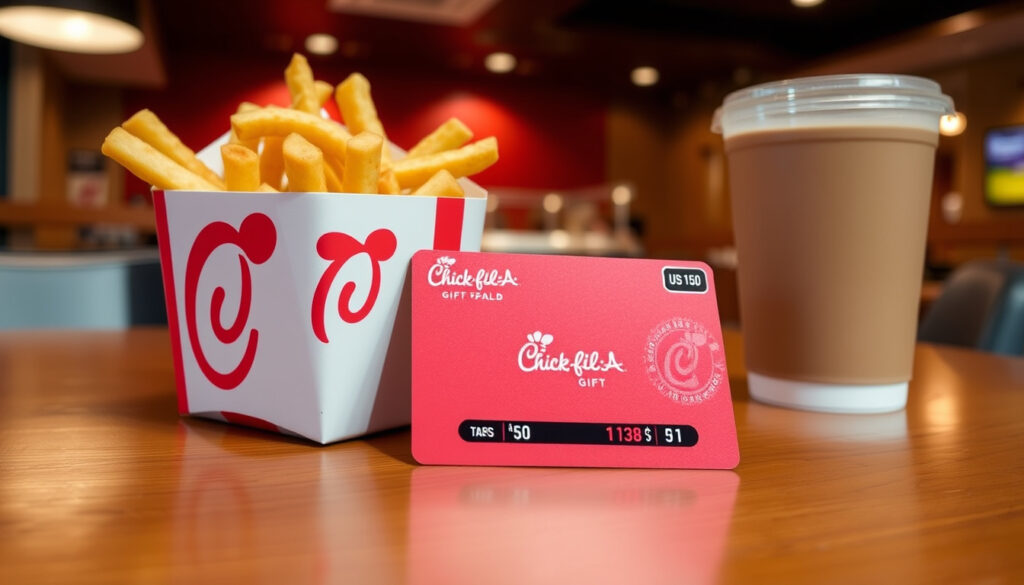
Check Your Chick-fil-A Gift Card Balance
There’s a small frustration that catches many Chick-fil-A fans off guard: the absence of a simple online balance checker for their gift cards. Here’s the complete guide to checking your Chick-fil-A gift card balance using the official methods that actually work.
Phone number to check balance: 1-888-232-1864 ·
Official balance check methods: 3 ·
Online balance check available: No ·
Balance printed on receipt: Yes ·
App check requires card addition: Yes
Quick snapshot
- Dial 1-888-232-1864 (Chick-fil-A Customer Support)
- Automated system, 24/7 (Chick-fil-A Customer Support)
- Need the gift card number (Chick-fil-A Customer Support)
- Any participating Chick-fil-A (Chick-fil-A Gift Card Terms and Conditions)
- Ask cashier to check balance (Chick-fil-A Gift Card Terms and Conditions)
- No purchase required (Chick-fil-A Gift Card Terms and Conditions)
- Balance printed at bottom (Chick-fil-A Canada Customer Support)
- Only after using the card (Chick-fil-A Canada Customer Support)
- Keep receipt for reference (Chick-fil-A Canada Customer Support)
- Add card to ‘My Cards’ (Chick-fil-A Gift Card Terms and Conditions)
- View balance in app (Chick-fil-A Gift Card Terms and Conditions)
- Also works for eGift cards (Chick-fil-A Gift Card Terms and Conditions)
Five key facts, one pattern: every official method requires either the physical card or the card number – there is no shortcut.
| Method | Details |
|---|---|
| Phone number | 1-888-232-1864 (Chick-fil-A) |
| In-store check | At any participating Chick-fil-A restaurant (Chick-fil-A Terms) |
| App check | After adding card to the Chick-fil-A app (Chick-fil-A Terms) |
| Receipt check | Balance printed on receipt after use (Chick-fil-A Canada) |
| Online check available | No (Chick-fil-A Customer Support) |
How to check Chick-fil-A gift card balance?
Call the automated phone system
- Dial 1-888-232-1864 – the official balance-check line (Chick-fil-A Customer Support)
- Listen to the automated system, which works 24/7 (Chick-fil-A Gift Card Terms and Conditions)
- Enter the gift card number when prompted (Chick-fil-A Customer Support)
The catch: if you’ve lost the card number, the phone method won’t help. Keep the card or its number handy.
Visit a participating restaurant
- Any Chick-fil-A location in the United States or Puerto Rico can check the balance (Chick-fil-A Gift Card Terms and Conditions)
- Simply hand the card to the cashier; no purchase is required
- This method works for both physical and eGift cards
What this means: the in-store option is the most straightforward – you don’t need the card number, just the card itself.
Check your receipt after a purchase
- After using the gift card, the remaining balance prints at the bottom of the receipt (Chick-fil-A Canada Customer Support)
- This is a passive method – it only works when you’ve made a transaction
- Keep the receipt as a reference for your next visit
The pattern: Chick-fil-A relies on transaction-based balance updates rather than a real-time dashboard.
Bottom line: Chick-fil-A gift card holders must use phone, in-store, receipt, or app methods — there is no online portal for balance checks.
Can I check my gift card balance online?
No official online balance checker
- Chick-fil-A does not provide a public online balance check page (Chick-fil-A Customer Support)
- Unlike many retailers, you cannot enter a card number on a website to see the balance
- The only official methods are phone, in-store, app, or receipt
The implication: if you’re searching for “check balance online,” you’ll be redirected to the phone number – a deliberate design choice that surprises many users.
Third-party sites are not recommended
- Websites like GiftCardGranny and others repeat the same phone number (GiftCardGranny)
- Some third-party guides incorrectly list 1-866-232-2040 as the balance line, but that number is for general customer support, not balance checks (Swagbucks Articles)
- Never enter your card details on unofficial sites – they may be phishing attempts
Why this matters: using a third-party site carries risk without any benefit, since the official phone method is the only reliable online-like option.
How do I scan a Chick-fil-A gift card?
Scanning in the Chick-fil-A app
- Open the Chick-fil-A app and navigate to the “My Cards” section
- Tap “Add Card” and use the camera to scan the barcode on the physical card or eGift card
- Once added, the card appears in the app and you can view the balance there (Chick-fil-A Gift Card Terms and Conditions)
The trade-off: you must add the card first – the app does not accept one-time balance inquiries without adding the card.
Scanning at the restaurant
- The cashier can scan the barcode on the card to process payment
- This also works for eGift cards displayed on your phone screen
- After scanning, the cashier can tell you the remaining balance if you ask
The pattern: scanning is a payment method, not a dedicated balance check – but it doubles as one when you’re in line.
How to check gift card balance?
General methods for any gift card
- Most retailers offer online, phone, or in-store balance checks
- Online check is the most common – enter the card number and PIN on the issuer’s website
- Phone checks are usually automated and require the card number
The difference: Chick-fil-A breaks from the norm by not offering an online portal.
Specific to Chick-fil-A
- Phone: 1-888-232-1864 (Chick-fil-A Customer Support)
- In-store: any participating restaurant (Chick-fil-A Terms)
- App: after adding the card (Chick-fil-A Terms)
- Receipt: after a purchase (Chick-fil-A Canada)
The implication: Chick-fil-A’s balance check is intentionally limited – you must have the card or the card number, and there’s no web portal.
How do I check my Chick-fil-A gift card balance on the app?
Add the gift card to the Chick-fil-A app
- Open the app and go to the “My Cards” tab
- Tap the “+” icon and select “Add Gift Card”
- You can either scan the barcode or enter the card number and PIN manually (Chick-fil-A Gift Card Terms and Conditions)
The requirement: you must add the card first – the app does not allow one-time balance lookups without adding.
View balance in the app
- Once added, the card appears in “My Cards” with the current balance displayed
- The balance updates after each transaction, but it’s unclear if it updates in real time (Chick-fil-A Terms)
- You can also use the app to scan the card for payment at the restaurant
The trade-off: the app is the most convenient method for frequent customers, but it requires an initial setup step that casual users may find cumbersome.
Confirmed facts
- Phone number 1-888-232-1864 is the official balance check line (Chick-fil-A)
- Receipts show remaining balance after a purchase (Chick-fil-A Canada)
- Chick-fil-A does not offer a public online balance checker (Chick-fil-A)
- Balance can be checked at any participating restaurant (Chick-fil-A Terms)
- The reloadable Chick-fil-A One Digital Gift Card balance can be viewed in the app (Chick-fil-A Terms)
What’s unclear
- Whether the app balance updates in real time after every transaction (Chick-fil-A Terms)
- If third-party balance check sites are safe or accurate (GiftCardGranny)
“You may check a balance by calling the Gift Card Customer Support automated system at 1-888-232-1864 or visit any participating Chick-fil-A restaurant.”
– Chick-fil-A Customer Support
“To check the balance of a physical or eGift card, call the Gift Card Customer Support automated system at 1-888-232-1864.”
– Chick-fil-A Gift Card FAQ
“By checking your receipt. When you use a Chick-fil-A Gift Card to pay for a purchase, the balance will print out at the bottom of the Chick-fil-A receipt.”
– Chick-fil-A Canada page
For anyone with a Chick-fil-A gift card, the implication is clear: keep the card number handy and call 1-888-232-1864, or you’ll be left guessing the balance. The absence of an online checker is deliberate, but the phone and in-store methods are reliable – as long as you have the card in hand.
chick-fil-a.com, chick-fil-a.com, youtube.com, chick-fil-a.com, chick-fil-a-menu.net, chikfilamenuhub.com, customerservicenumbers.com, pawns.app
Frequently asked questions
Can I check my Chick-fil-A gift card balance without the card number?
No – the automated phone system and the app both require the card number or physical card. The only exception is asking a cashier in-store, who can scan the card.
How long does it take for a Chick-fil-A eGift card to activate?
eGift cards are typically activated within minutes of purchase, but if you experience a delay, contact customer support at 1-866-232-2040.
Can I use a Chick-fil-A gift card for delivery orders?
Yes – you can use the gift card number and PIN when ordering through the Chick-fil-A app or website for delivery.
Is there a fee to check my Chick-fil-A gift card balance?
No – all official methods (phone, in-store, app, receipt) are free of charge.
What should I do if my Chick-fil-A gift card is lost or stolen?
Chick-fil-A gift cards are not replaceable if lost or stolen. Treat them like cash and keep the card number recorded separately.
Can I combine multiple Chick-fil-A gift cards into one?
No – Chick-fil-A does not currently offer a card consolidation service. You can use multiple cards in one transaction at the restaurant.
How do I add a Chick-fil-A gift card to the app for balance checking?
Open the app, go to “My Cards,” tap the “+” icon, and scan the barcode or enter the card number and PIN manually.
Do Chick-fil-A gift cards expire?
No – Chick-fil-A gift cards do not expire, and there are no inactivity fees.
More related posts
 The Rookie Season 8: Premiere, Episodes, Cast & Renewal
 Who Is Jeff Bezos? Bio, Net Worth, Family & Facts
 Who Is the New Pope – Still Francis in March 2025
 FC Barcelona vs Real Madrid – Head-to-Head Stats and Results
 Best Free Spanish to English Translator: Top Tools Compared
 Who Should I Start? Expert Fantasy Football Start/Sit Advice
 Anyone But You Cast: Full List of Actors and Characters
 Kat Dennings Movies and TV Shows: Full Filmography